

How to Rank Higher on Google Maps: What Actually Moves the Map Pack

In short: The honest answer to how to rank higher on Google Maps starts with Google’s own explanation: local results are mainly based on relevance, distance and prominence. You can’t change how far you are from each person searching, and you can’t pay for a better spot. So Google Maps SEO comes down to relevance and prominence: pick the right primary category, fill in every field on your Google Business Profile (formerly called Google My Business), use your real business name, collect reviews steadily from every customer, and have a website that backs the profile up. Skip geotagged photos, daily posting for rankings, ads as a ranking shortcut and keyword-stuffed review replies. Then check your rank from several spots around your area, not from your own shop.
Prefer video? Watch the walkthrough:
An example: the fourth workshop
Picture a car repair workshop in Singapore. (It’s an example, not a real business.) Two streets away, a driver’s car dies. He searches “car repair near me”. Google shows three workshops in the map pack, and this one is fourth, just under the cut. He drives to one of the other three. (The map pack, also called the local pack, is that block of three business listings shown with a map.)
Being fourth is rarely down to one big mistake. It’s the sum of the signals below. This Google Maps SEO guide follows the same order as the video: how Google ranks local results, the five moves you control, the tricks that don’t work, and how to check where you really stand.
How Google ranks local results: the Google Maps ranking factors
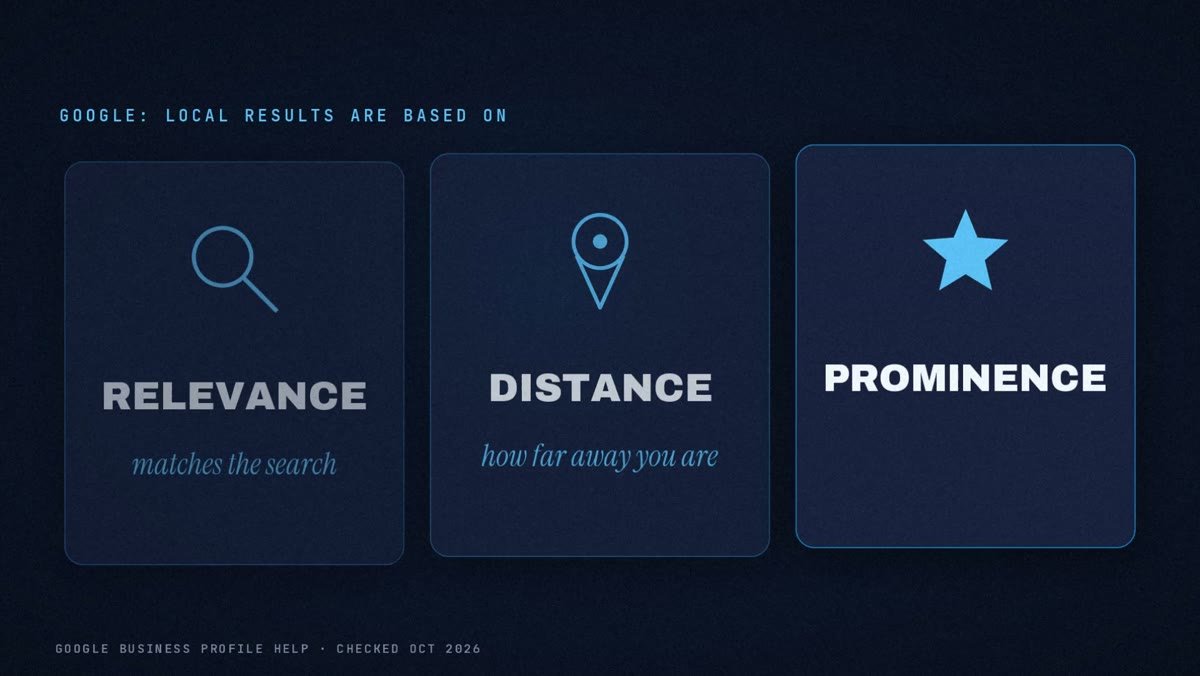
Google’s help page on local ranking names three factors:
- Relevance: how well your Business Profile matches what someone searched for.
- Distance: how far your business is from the person searching.
- Prominence: how well-known your business is. Google points to reviews and ratings and to the websites that link to you.
The summary line on that page now uses the word “popularity” for that third factor. It’s the same idea, so don’t let the wording change throw you.
The same page makes one more point clearly: there’s no way to request or pay for a better local ranking on Google.
Distance is mostly out of your hands. You can’t move your workshop closer to every driver. That leaves relevance and prominence, and that’s where the five moves below come in.
A note on the expert numbers in this guide. Where we say a factor ranks “#1” or “187 of 187”, the ranking comes from Whitespark’s 2026 Local Search Ranking Factors, a survey of local search experts. Those are expert opinion scores, not figures published by Google.
Google Maps SEO: the 5 moves that help you rank
1. Choose the right primary category
In that expert survey, your primary Business Profile category is the number one map-pack factor. It’s also one of the easiest to get wrong.
Google’s guidelines say to choose categories that finish the sentence “This business IS a …”. For our workshop, that’s a car repair category, using the closest match Google offers. Not car wash just because there’s a hose out the back. Describe what the business is, then add secondary categories only if they’re also true.
2. Fill in every field
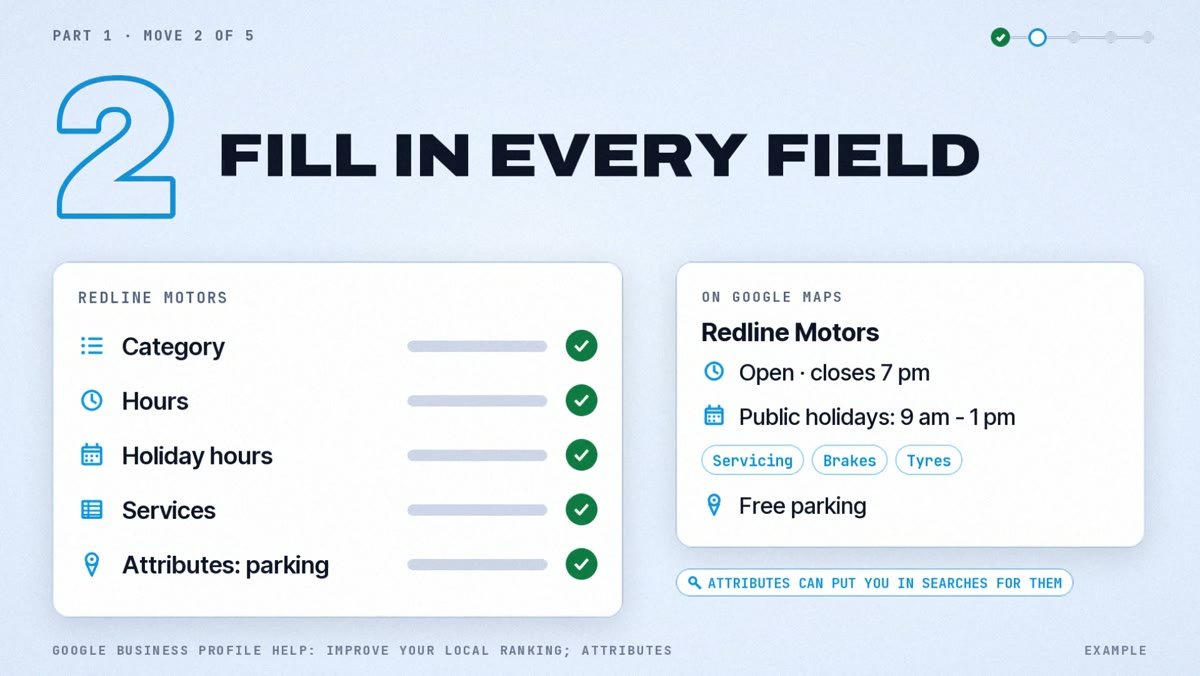
Google says businesses with complete and accurate information are more likely to show up in local search results. Go through your Google Business Profile, the details behind your Google Maps listing, and fill in everything that applies:
- Opening hours, including special hours for public holidays.
- Your services, named the way customers would say them.
- Attributes, such as parking. Google says attributes can put your business in searches for places with those features.
Then keep it accurate. When your hours, phone number or services change, update the profile the same day.
3. Use your real business name, and nothing else
This one is uncomfortable, because the shortcut works. Experts rank keywords in the business name as the #3 map-pack factor. That’s why you see profiles named like “Best Car Repair Workshop 24 Hours”.
But Google’s guidelines ban adding keywords to the name, and doing it can lead to your Google Business Profile being suspended. A short-term bump isn’t worth that risk. Use the name on your signboard.
4. Get reviews steadily, from every customer
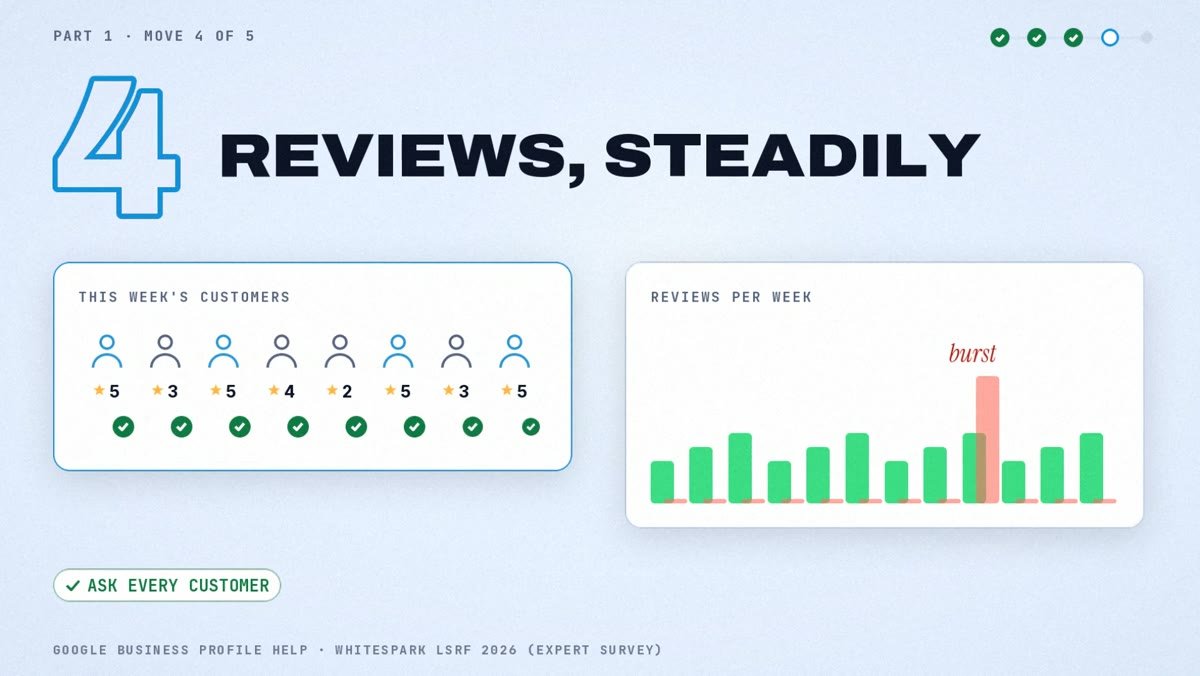
Google says more reviews and positive ratings can help your local ranking. The experts add a point about timing: they rate a sustained flow of reviews over time above sudden bursts.
In practice, make asking part of every job rather than a one-off campaign. Send your review link with the invoice or in a follow-up message after the car is collected.
Ask everyone, not only the customers who seemed happy. Selectively asking for positive reviews is banned under Google’s review policy.
Reviews matter beyond the map, too. We look at how they shape AI answers in do online reviews affect whether AI recommends a brand?
5. Have a website that backs it up
Your website feeds your Google Business Profile. Google says Business Profiles are built partly from your official website, and that prominence takes into account the websites that link to you.
Two website factors rate well in the expert survey:
- A dedicated page for each service. For the workshop, that means separate pages for brake repair, tyres and servicing, not one page listing everything.
- Matching business details. The name, address and phone number on your site should match your Business Profile exactly.
Google Maps ranking myths: 4 tricks that don’t work
These come up in almost every list of Google Maps SEO hacks. Here’s what the evidence says.
Geotagging your photos
Experts ranked geotagged photos dead last: 187th out of 187 factors. One test also found that Google stripped the location data from photos when they were uploaded, and saw no effect on rankings. Upload real photos of your work to your Google Maps listing if you like. Just don’t pay anyone to add GPS tags to them.
Posting every day for rankings
Google says posts help customers decide to visit your business. It makes no claim that they move your ranking. Post when you have something worth saying, like holiday hours or a new service, rather than on a daily schedule in the hope of climbing.
Running ads to lift your map ranking
Google says there’s no way to pay for a better local ranking. Ads buy you an ad placement. They don’t buy a better position in the regular map results.
Stuffing keywords into review replies
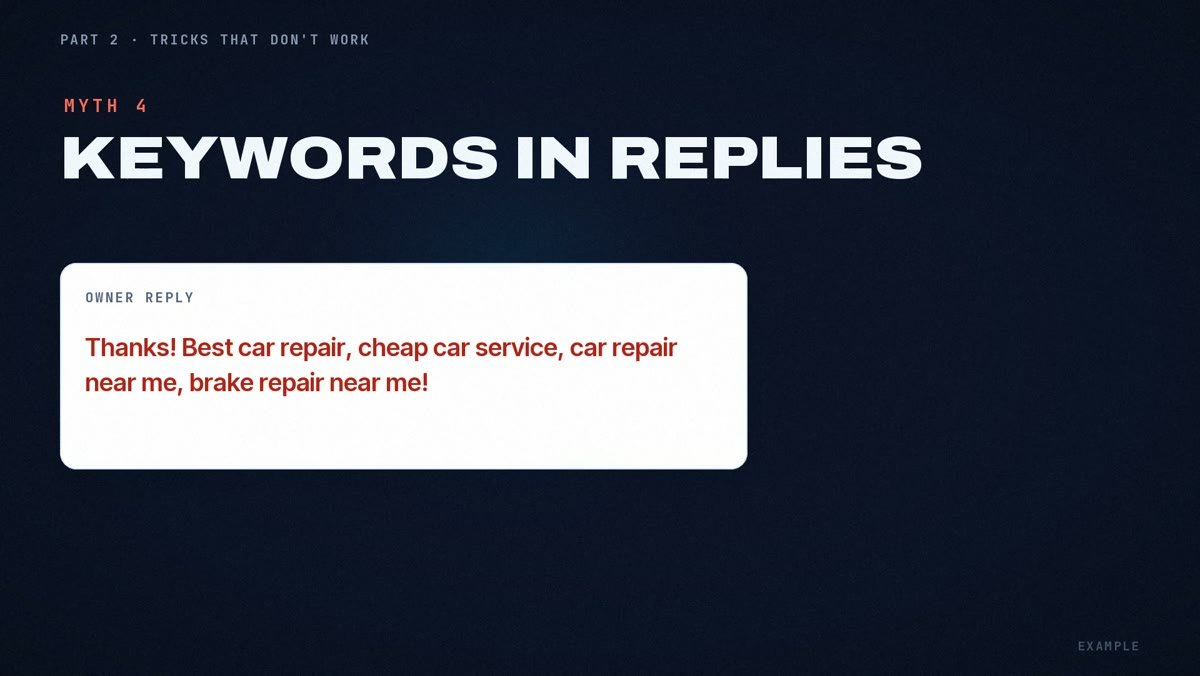
Experts put keywords in owner responses near the bottom too: 182nd of 187. Google’s advice is to keep replies conversational, not promotional. Write back like a person: mention what the customer actually said, and deal with any problem they raised.
How to check your Google Maps rank properly
Searching from inside your own workshop tells you very little. Distance is one of the three factors, and you’re standing right next to your own business.
Incognito mode doesn’t fix this. Google says it always estimates the general area you’re searching from, so a private window still isn’t location-neutral.
A better way:
- Pick your main search. For the workshop, “car repair near me” or “car repair” plus the area name.
- Search from three or four spots around your area, places where your customers actually are, and screenshot the map pack each time.
- Or use a local search results checker that lets you set the location. Some are free up to a daily limit.
- Repeat the same checks each month, from the same spots, so you’re comparing like with like.
If you’re fourth in one spot and first in another, that’s distance at work, not a penalty.
Why your Business Profile matters for AI answers too
This work pays off beyond Maps. In its guidance on AI features in Search, Google tells site owners to keep their Business Profile information up to date. So the profile you’ve just tidied up isn’t only for the map pack.
A Google Business Profile doesn’t cover everything AI search looks at, though. We cover the gaps in AI search gaps beyond Google Business Profiles.
Want to know whether ChatGPT, Gemini and Claude mention your business when a customer asks for what you do? Run our free AI visibility check.
FAQ
Can I pay Google to rank higher on Google Maps? No. Google says there’s no way to request or pay for a better local ranking. Google Ads can show you in an ad slot, but that’s separate from where you rank in the regular map results.
What are the main Google Maps ranking factors? Google names three: relevance, distance and prominence, which its summary now calls popularity. Among the things you control, local search experts rank the primary category as the top local pack factor.
How do I increase my Google Maps ranking? Work on the parts you control, in this order: the right primary category, a complete and accurate profile, your real business name, a steady flow of reviews from every customer, and a website with a page per service and matching contact details.
Do geotagged photos help you rank on Google Maps? The evidence says no. Experts ranked them last of 187 factors, and one test found the geotags were removed on upload with no ranking effect.
Google Maps Ranking: Key Factors, Proven Steps, and Myths
- Google ranks local results on relevance, distance and prominence, and you can’t pay for a better spot.
- The five moves: the right primary category, every field filled in, your real name, steady reviews from everyone, and a website that backs it up.
- Skip geotagged photos, daily posting for rankings, ads as a ranking shortcut and keywords in review replies.
- Check where you appear in the local pack from several spots around your area, not from your own shop.
Sources
- Google Business Profile Help, Tips to improve your local ranking on Google
- Google Business Profile Help, Guidelines for representing your business on Google
- Whitespark, Local Search Ranking Factors 2026 (expert survey; plain-text version)
- Google Business Profile Help, business attributes
- Google, Maps user-contributed content policy: prohibited and restricted content
- Google Business Profile Help, where Business Profile information comes from
- Sterling Sky, geotagging photos and local rankings test
- Google Business Profile Help, About posts
- Google Business Profile Help, replying to reviews
- Google Search Help, how location is used in Search
- BrightLocal, Local Search Results Checker
- Google Search Central, AI features and your website