

Technical AI Search Visibility: How to Ensure AI Crawlers Reach You
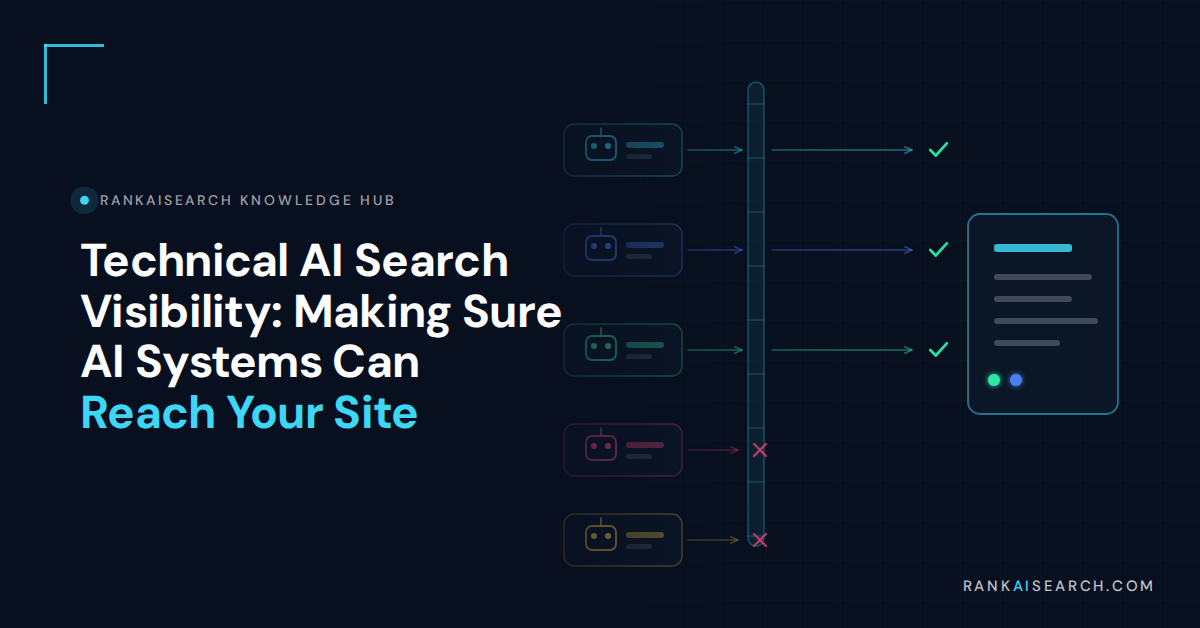
AI systems can only cite pages they can fetch. Technical AI search visibility means confirming that AI crawlers reach your content at both the robots and network layers, that pages are indexed and snippet-eligible, and that your main content exists in raw HTML rather than appearing only after scripts run.
Why Technical Access Comes Before Content Quality
Retrieval happens before generation. A system fetches candidate pages, scores them, then composes an answer from what it retrieved. A page that cannot be fetched is not competing badly; it is not competing at all.
This failure is uniquely hard to spot because it produces no signal. There is no error in Search Console, no impression drop to investigate, and no ranking change. The symptom is silence, which teams routinely misdiagnose as a content problem and answer with more content.
It also sits outside most content teams’ authority. Robots directives, CDN configuration, and firewall rules typically belong to development or infrastructure, which means an AI visibility problem can persist for months because the people measuring it cannot fix it and the people who can fix it have not been told.
Check access before commissioning anything. An afternoon of verification regularly explains what a quarter of content investment could not.
The Major AI Crawlers and Who Operates Them
The single most important development is that training and search crawlers are now separate bots with separate user agents. Treating them as one bucket is the most common configuration error in 2026.
| Operator | Training crawler | Search or user-action crawler | Blocking the second costs you |
| OpenAI | GPTBot | OAI-SearchBot, ChatGPT-User | ChatGPT citations |
| Anthropic | ClaudeBot | Claude-SearchBot, Claude-User | Claude citations |
| Perplexity | Not separated the same way | PerplexityBot, Perplexity-User | Perplexity citations |
| Google-Extended | Googlebot (dual purpose) | AI Overviews and AI Mode | |
| Common Crawl | CCBot | None | Dataset inclusion only |
Three points that catch people out:
- Blocking ClaudeBot does not block Claude-SearchBot. Each user agent needs its own directive.
- Deprecated strings do nothing. Claude-Web and anthropic-ai are no longer active, so a robots file blocking only those is not blocking anything current.
- Google’s crawler is dual purpose. Cloudflare has publicly noted that because Google combines discovery and AI access in one crawler, publishers cannot separate traffic used for search from traffic used for AI experiences without also losing search.
There is a third category worth understanding: user-initiated fetches. When someone asks an assistant to summarize a specific URL, the tool retrieves that page on the user’s behalf. Providers frequently treat this as user-directed access rather than crawling, which means training and crawl directives may not apply the way site owners expect.
The consensus posture is block training, allow search. It preserves citation eligibility while declining to supply free training data, and it requires knowing which bot is which. The economic argument for it is straightforward: training crawlers consume bandwidth and return nothing, while search crawlers are the mechanism by which citations and referral traffic happen at all.
How to Check Whether AI Bots Reach Your Site
Verify rather than assume. Three checks, in order:
- Fetch a key page while presenting each AI user agent. Confirm the response code is 200 and not 403 or 429.
- Inspect the returned HTML. Check that your main content is present in the raw response rather than injected later by JavaScript.
- Read your server logs. Look for the AI user agents by name over a 30-day window. Absence usually means blocking somewhere upstream.
Do all three from outside your own network. Office IP allowlists and staging configurations regularly mask problems that exist for everyone else.
Two further checks are worth adding for sites with an international audience. AI answers and crawl behavior can vary by region, so testing from a single location shows one view rather than the full picture. And rate limiting deserves attention separately from blocking: a crawler receiving 429 responses is being turned away just as effectively as one receiving a 403, but the configuration causing it usually lives somewhere else entirely.
Understanding how search engines and AI Overviews work makes these results easier to interpret, since each failure maps to a specific stage of the retrieval pipeline rather than to a general visibility problem.
Robots Directives and Common Mistakes
Robots.txt is a plain text file at your domain root. Each block names one or more user agents and follows with Allow or Disallow rules.
Common mistakes worth auditing for:
- Copy-pasted 2023 blocklists. These typically block GPTBot and, in doing so, catch nothing current while missing the search bots that matter.
- Blocking search crawlers by accident. A blanket disallow across AI user agents removes you from ChatGPT, Claude, and Perplexity answers.
- Assuming one directive covers a family. Each user agent string is independent.
- Believing robots.txt is enforcement. It is a request. Compliance is voluntary, and a spoofed user agent can claim to be anything.
- Never revisiting it. New crawlers launch faster than robots files get updated, and rules lag bot launches by months.
- Disallowing resources needed for rendering. Blocking script or stylesheet directories can prevent a page being processed at all.
- Relying on a single wildcard rule. A permissive default is useful, but named agents need named directives to be controlled deliberately.
Perplexity illustrates the limits. It has stated that Perplexity-User is an agent rather than a bot and therefore not required to honor robots.txt, a position that has produced disputes with publishers and with Cloudflare. Where a crawler does not comply, network-level rules are the only real control.
A workable structure separates the two intents explicitly. Block the training-focused agents by name, allow the search and user-action agents by name, and leave the default rule permissive so that new crawlers are not caught by an old blanket directive. Review the file whenever a major provider announces a new user agent, since robots files typically lag bot launches by months and the gap is where accidental exclusion accumulates.
Firewall and Bot Protection Rules That Block AI by Accident
This is now the largest single cause of accidental AI invisibility, and it has nothing to do with your site.
Cloudflare sits in front of a substantial share of the web. Its own figures put more than 20% of the web behind its network, with 36% of the world’s most-visited sites and more than 40% of the Fortune 500 as customers.
This is worth stating plainly because it inverts the usual assumption. Most teams treat their own site as the thing that determines whether crawlers can reach it. In practice, a decision made by an infrastructure provider, applied by default, at a layer above the site, is now the more common determinant.
The policy timeline matters:
| Date | Change |
| July 1, 2025 | Content Independence Day. Default block on AI training crawlers for all new domains, plus one-click blocking and a Pay-Per-Crawl marketplace |
| July 1, 2026 | Search, Agent, and Training categories introduced for all customers including free tier, with protection for ad-monetized pages |
| September 15, 2026 | Training and Agent crawlers blocked by default on ad-monetized pages |
Cloudflare’s own framing of the shift is instructive: it has described the traditional arrangement between crawlers and site owners, where crawling was exchanged for referral traffic, as no longer holding. The categories introduced in 2026 exist to let site owners treat search, agent, and training access as three separate decisions rather than one.
Two details decide whether this affects you:
- The edge block happens before robots.txt is read. Your file can say welcome while the network layer refuses the connection. The two layers must agree, and only one of them is enforced.
- Defaults resolve to the most restrictive applicable rule. Cloudflare notes that multi-purpose crawlers including Googlebot, Applebot, and BingBot will be blocked for customers who choose to block Training, which is a significant side effect for anyone selecting that option casually.
- A managed robots.txt feature can override your origin file. Where a CDN offers to manage the file for you, confirm which version is actually being served.
The direction of travel is also worth noting for planning purposes. Cloudflare has introduced a Pay-Per-Crawl mechanism allowing sites to charge for access, and frames its categories as the foundation for a market in crawl compensation. For most brands seeking visibility rather than licensing revenue, the practical implication is unchanged: allow the search crawlers, and check that nothing upstream is quietly overriding that decision.
Audit the CDN layer specifically, and audit it again after any migration. Moving a site to a new host or CDN is the single most common moment for AI visibility to disappear without anyone noticing.
JavaScript Rendering and Retrieval
Google states it can process content rendered with JavaScript provided the resources are not blocked. Other AI crawlers are less patient, and several will take what is in the initial HTML response and move on.
Practical implications:
- Server-side render or pre-render your main content. Client-side-only content is a retrieval risk even where Googlebot handles it.
- Avoid interaction-gated content. Text inside accordions, tabs, or modals that loads on click may never be fetched.
- Do not put key claims in images. Text rendered as a graphic is not extractable.
- Check unblocked resources. Scripts and stylesheets disallowed in robots.txt can prevent rendering entirely.
- Test with JavaScript disabled. If the page is blank or missing its main claims, so is the version some crawlers receive.
This is one of the few areas where the fix has real engineering cost. Moving a client-rendered site to server-side rendering is a project rather than a configuration change, which makes it worth quantifying first: check whether your main content is genuinely absent from the raw response or merely reordered, since only the first case justifies the work.
Indexation as a Prerequisite for Citation
For Google’s generative features specifically, Google’s documentation sets three requirements. A page must be:
- Indexed
- Eligible to be shown in Google Search with a snippet
- On a site included in Search generative AI features in Search Console
Google also cautions that meeting these requirements does not guarantee a page will be crawled, indexed, or served. Eligibility is a floor, not a promise.
Beyond Google, indexation matters indirectly. ChatGPT’s search leans on the Bing index, which makes Bing Webmaster Tools worth the twenty minutes it takes to verify a site there. Avoiding common AI SEO mistakes at this layer costs nothing and removes the most expensive category of failure.
Indexation problems also tend to be concentrated rather than site-wide. Faceted navigation, thin location pages, and duplicated templates are the usual sources, and they typically affect exactly the pages a brand most wants surfaced. Checking coverage by section rather than in aggregate is what surfaces this, since a site with 95% of URLs indexed can still have every commercial page excluded.
llms.txt and What It Is Worth Today
llms.txt is a proposed plain text file that gives AI systems a curated summary of a site and its most important pages. It has attracted disproportionate attention relative to its measured effect.
Google’s position is unambiguous: it states that Google Search does not use llms.txt files, and that publishing one will neither help nor harm your visibility in its generative features.
The file itself is simple: a plain text document at your domain root listing your most important pages with short descriptions, intended to help a system understand what a site covers without crawling everything. The proposal has attracted genuine interest and uneven implementation, and adoption data is thin enough that confident claims in either direction should be discounted.
A proportionate approach:
- Publish one if it costs you an hour. Some systems consume it, and the downside is zero.
- Do not build a strategy on it. Anyone selling llms.txt as the core of AI visibility is selling something the largest platform has explicitly ruled out.
- Never treat it as access control. It is a positive signal, not a gatekeeper. Robots.txt and your network layer are the gatekeepers.
A Technical Diagnostic Sequence
Run this end to end before spending anything on content. It takes under a day.
- Fetch a key page as GPTBot, OAI-SearchBot, ClaudeBot, Claude-SearchBot, PerplexityBot, and Google-Extended. Record every response code.
- Confirm the CDN or WAF is not blocking at the edge, and that any managed robots.txt feature is not overriding your origin file.
- View the raw HTML and confirm main content, headings, and key claims are present without script execution.
- Check indexation and snippet eligibility in Search Console, plus inclusion in Search generative AI features.
- Verify the site in Bing Webmaster Tools for ChatGPT search coverage.
- Review 30 days of server logs for AI user agents by name.
- Re-run steps one and two after any migration, CDN change, or security policy update.
| Symptom | Most likely cause |
| Absent from all AI platforms, ranks fine on Google | Edge or WAF blocking AI user agents |
| Absent from ChatGPT only | OAI-SearchBot blocked, or Bing indexation gap |
| Absent from Google AI features only | Not included in Search generative AI features, or snippet ineligible |
| Pages fetched but never cited | Access is fine, structure is the problem |
| Sudden drop across all AI platforms | Recent migration, CDN change, or security policy update |
| Some pages cited, others never | Section-level indexation or rendering problem |
That last row matters. Once access is confirmed, the bottleneck moves to content structure and website architecture, which is a different problem with different owners.
Document the outcome rather than just fixing it. A short record of which user agents were tested, what each returned, and which configuration produced the result turns this from a one-off investigation into a check anyone can repeat after the next infrastructure change. Most sites go through several such changes a year, and each one is an opportunity to lose access silently.
Access is the cheapest fix in AI search and the most commonly missed. A structured AI SEO engagement should open with this diagnostic rather than a content proposal, and if a prospective partner cannot show you your current crawler response codes, that is worth raising early when you get in touch.
Frequently Asked Questions (FAQ) About AI Crawler Access
Should I block AI crawlers or allow them?
The prevailing posture is to block training crawlers while allowing search and user-action crawlers. Blocking GPTBot and ClaudeBot declines to supply training data, while allowing OAI-SearchBot, Claude-SearchBot, and PerplexityBot keeps you eligible for citations. Blanket blocking removes you from AI answers entirely.
Why does my site rank on Google but never appear in ChatGPT?
The most common cause is network-level blocking. Cloudflare and similar services block AI user agents at the edge before robots.txt is read, so a permissive robots file will not help. Check your CDN and WAF settings directly, particularly after any recent migration.
Does robots.txt actually stop AI crawlers?
Only the compliant ones. It is a request rather than an enforcement mechanism, and a spoofed user agent can claim to be anything. Perplexity has argued that its user-initiated agent is not required to honor robots.txt at all. For non-compliant crawlers, server or firewall rules are the only real control.
Do I need an llms.txt file?
Not for Google, which states it does not use these files and that publishing one neither helps nor harms visibility. Some other systems consume them, and the cost of publishing is minimal, which makes it a reasonable low-priority addition rather than a strategy.
How often should I re-check crawler access?
Quarterly at minimum, and immediately after any site migration, CDN change, hosting move, or security policy update. New crawler user agents also launch regularly, and robots files typically lag those launches by months.
References and Further Reading on AI Visibility
- Google Search Central. “Optimizing your website for generative AI features on Google Search.” Last updated July 10, 2026.
- Cloudflare. “Content Independence Day: no AI crawl without compensation.” July 1, 2025.
- Cloudflare. “Your site, your rules: new AI traffic options for all customers.” July 2026.
- Cloudflare. “Content Independence Day, one year on: building the business model for the agentic Internet.” July 2026.
- Cloudflare. “Cloudflare Just Changed How AI Crawlers Scrape the Internet-at-Large.” Press release, July 1, 2025.