


Do URL Structures Affect Whether AI Crawlers Can Read and Cite Your Pages?
A site owner publishes a useful guide, but the page sits behind a long URL filled with numbers, filters, and tracking parameters. Another version of the same page appears under a shorter address, while internal links point to both. URL structure affects AI crawling because it influences how easily systems discover, distinguish, and organize each page.
A clean URL does not guarantee an AI citation, but it removes technical ambiguity that can weaken discovery and source selection. Strong content, clear titles, internal links, canonical tags, and accessible HTML still carry more weight. This guide explains how URL structure affects AI crawlers and how to fix paths that create confusion.
Do URL Structures Affect AI Crawlers?
Yes, to a degree. AI crawlers don’t rank URLs the way search engines do, but a clean, descriptive URL helps them confirm what a page is about and file it correctly alongside the page’s title and headings. Long, parameter-heavy, or vague URLs can make that classification step harder, even if the content itself is strong.
An AI crawler retrieves documents from web addresses. The URL identifies where a page lives, while the returned HTML provides the title, headings, text, links, metadata, and structured data needed to interpret it.
URL quality mainly affects discovery, identity, and consolidation. Bing recommends canonical URLs, parameter controls, and consistent URL structures to consolidate signals and improve visibility in search and grounding experiences. (Source: Bing Webmaster Guidelines, 2026)
RankAISearch principle: A URL should give every crawler one stable address for one clearly defined page.
| URL Function | What the Crawler Needs | Effect of Poor Structure |
|---|---|---|
| Discovery | A crawlable link to the address | Important pages may remain difficult to find |
| Identification | One stable URL for each page | Duplicate versions can compete |
| Classification | Descriptive path context | Vague slugs provide little supporting context |
| Consolidation | Correct canonical and redirect signals | Authority can become divided across versions |
| Retrieval | A valid response with accessible content | Errors can prevent the page from being read |
| Citation | Clear, factual, useful page content | A good URL cannot compensate for weak content |
A URL is a supporting signal rather than a complete description. The page title, heading structure, body content, citations, and surrounding links must confirm the same topic.
What Can a URL Tell an AI Crawler About a Page?
A URL can indicate the page topic, content type, category, language, and place within the site hierarchy. It gives the crawler preliminary context before the full document is processed.
A path such as /guides/ai-crawler-access/ is easier to interpret than /page?id=8472. Both pages can be crawled, but the descriptive version communicates a clearer relationship between the page and its parent section.
Google recommends simple, descriptive URLs with readable words rather than long identifiers or complex parameters. It also advises site owners to use the audience’s language within URLs when appropriate. (Source: Google Search Central, 2025)
| URL Component | Example | What It Communicates |
|---|---|---|
| Domain | example.com | The source and site identity |
| Folder | /guides/ | The broader content category |
| Subfolder | /guides/crawling/ | A narrower topic group |
| Slug | /url-structure/ | The specific page subject |
| Language path | /es/ | The intended language version |
| Parameter | ?color=blue | A filter, state, or tracking value |
| Fragment | #redirects | A location within the document |
The URL should support the page’s visible meaning. A crawler receives conflicting context when the slug describes one subject while the title and body cover another.
Which URL Features Make Pages Easier to Understand?
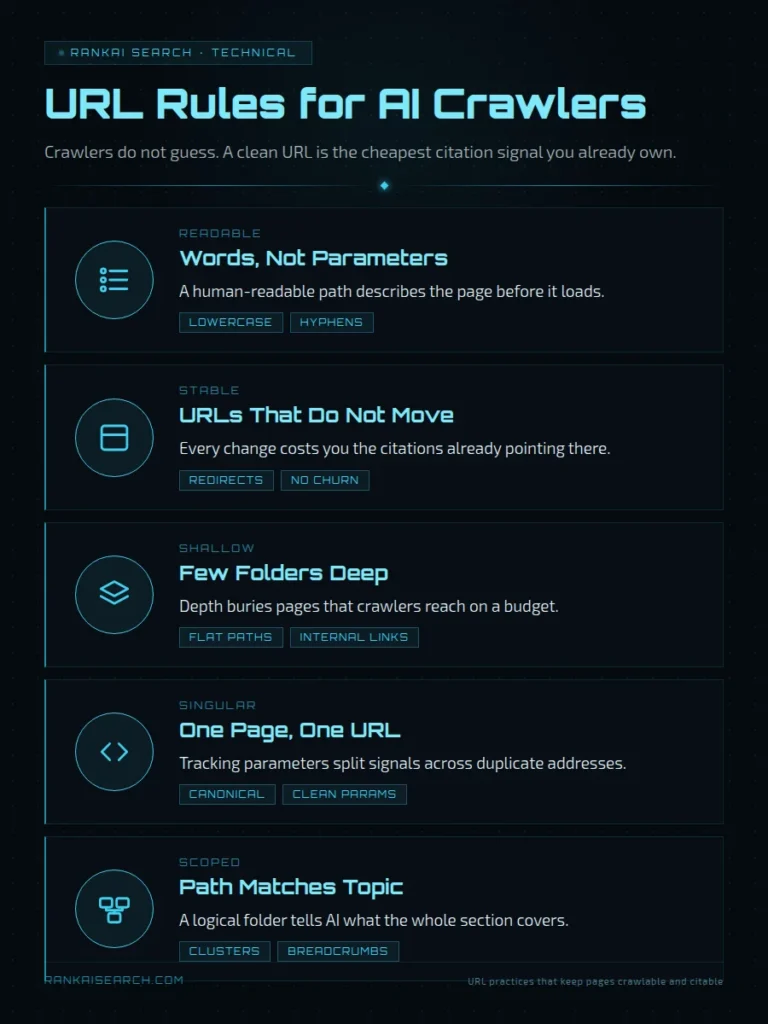
Descriptive words, logical folders, short paths, and consistent naming make URLs easier for crawlers and people to understand. These features reduce ambiguity without turning the address into a list of every keyword on the page.
URL design should reflect stable content relationships. A path should explain where a page belongs without depending on temporary campaigns, internal database numbers, or navigation labels that change often.
A clear URL system should follow the same broader logic as the site’s navigation and internal links. A well-planned website structure for AI search connects pages through consistent categories rather than isolated addresses.
| Strong Feature | Clear Example | Weak Example |
|---|---|---|
| Descriptive slug | /ai-crawler-access/ | /post-9817/ |
| Logical folder | /guides/url-structure/ | /misc/page1/ |
| Short path | /docs/redirects/ | /resources/help/articles/technical/redirects-guide/ |
| Consistent case | /guides/crawling/ | /Guides/Crawling/ |
| Hyphenated words | /url-structure/ | /url_structure/ |
| Stable wording | /services/site-audits/ | /summer-2026-audit-offer/ |
Descriptive Words and Logical Folders
Descriptive words help establish what a page covers, while logical folders show how it relates to nearby content. Together, they create a readable information hierarchy.
The folder should represent a real content group. Creating artificial levels solely to add phrases makes the path longer without improving understanding.
Short Paths and Consistent Naming
Short paths reduce unnecessary complexity and make address patterns easier to maintain. The goal is clarity, not reaching an arbitrary character limit.
Consistent naming prevents multiple formats from describing the same type of content. One article should not use /blog/, another /articles/, and a third /resources/ unless those folders serve different purposes.
How Do Dynamic Parameters Affect Crawling and Classification?
Dynamic parameters can create many URLs from one underlying page, which increases crawling and consolidation work. Parameters are not automatically harmful, but unmanaged combinations can produce duplicate or low-value addresses.
Common parameters control tracking, filtering, sorting, pagination, search results, or user sessions. A crawler must request the address before it can determine whether the resulting document is unique.
Faceted navigation can generate a nearly unlimited number of URL combinations. Google warns that excessive parameter URLs can cause overcrawling and slower discovery of new, useful pages. (Source: Google Crawling Infrastructure, 2025)
| Parameter Type | Example | Recommended Treatment |
|---|---|---|
| Analytics tracking | ?utm_source=email | Canonicalize to the clean URL |
| Sorting | ?sort=price | Block or canonicalize when content is substantially the same |
| Filtering | ?color=blue | Allow only when the filtered page has search value |
| Session ID | ?session=12345 | Remove from crawlable URLs |
| Pagination | ?page=2 | Keep crawlable when it exposes unique items |
| Internal search | ?q=shoes | Usually prevent indexing |
| Product variant | ?size=large | Decide based on whether the variant needs its own page |
Parameters should appear in a predictable order. The addresses ?color=blue&size=large and ?size=large&color=blue can otherwise create two crawlable URLs for the same result.
Use standard separators and return a proper 404 response for invalid combinations. Redirecting every empty filter to a general page can create misleading soft-error behavior.
Why Can Multiple URLs for the Same Content Cause Problems?
Multiple URLs for the same content can divide links, create competing versions, and force crawlers to select a representative address. The problem is not duplicated wording alone. The problem is unclear page identity.
Duplicate versions often appear through HTTP and HTTPS, uppercase and lowercase paths, tracking parameters, print pages, syndication, filters, and trailing-slash differences. Each variation can become a separate crawl target.
Canonicalization tells retrieval systems which address represents a group of duplicate or closely similar pages. Google describes a canonical URL as the representative address selected from a set of duplicates. (Source: Google Search Central, 2026)
| Duplicate Pattern | Example |
|---|---|
| Protocol difference | http://example.com/page and https://example.com/page |
| Host difference | example.com/page and www.example.com/page |
| Case difference | /Guide/ and /guide/ |
| Tracking difference | /guide/ and /guide/?utm_source=email |
| Print version | /guide/ and /guide/print/ |
| Filter variation | /products/ and /products/?sort=price |
| Trailing slash | /guide and /guide/ |
Duplicate Versions and Canonical URLs
A canonical URL is the preferred representative of duplicate or substantially similar pages. A self-referencing canonical on the main page also confirms which address the site considers primary.
Canonical tags are signals rather than redirects. People and crawlers can still open a duplicate URL even when its canonical points elsewhere.
Tracking Parameters and Session IDs
Tracking parameters record campaign or referral information without usually changing the core page content. They should normally point back to the clean page through a canonical tag.
Session IDs create a more serious crawl problem because each visitor can receive a different address. This can generate large numbers of temporary URLs that expose the same document.
Does URL Depth Affect Whether a Page Gets Discovered?
URL depth does not directly determine discovery, but navigation depth and internal link access do. A short URL can still be an orphan, while a long URL can be discovered quickly when prominent pages link to it.
Crawlers primarily find new pages through links and submitted discovery feeds. Folder count alone does not show how many clicks separate a page from the homepage.
Google states that a sitemap can improve discovery for large, new, or complex sites, but it does not guarantee crawling or indexing. Proper internal linking remains the main way to make important pages reachable. (Source: Google Search Central, 2025)
| Situation | URL Depth | Link Depth | Discovery Outlook |
|---|---|---|---|
| Main service page | 2 folders | 1 click | Strong |
| Orphan article | 1 folder | No internal path | Weak |
| Detailed documentation | 4 folders | 2 clicks | Strong |
| Archived post | 2 folders | 6 clicks | Weaker |
| Sitemap-only page | 1 folder | No links | Possible but poorly connected |
How Should You Structure URLs for Categories and Subtopics?
You should structure category and subtopic URLs around stable subject relationships. The path should show the broad section first and the specific page second.
A clean hierarchy helps distinguish a category landing page from a detailed resource. It also makes patterns easier to audit across large websites.
Folder levels should correspond to meaningful sections. Do not copy every breadcrumb label into the URL when those labels create a long or fragile path.
| Content Type | Recommended Pattern |
|---|---|
| Category page | /guides/ |
| Topic hub | /guides/crawling/ |
| Detailed article | /guides/crawling/url-structure/ |
| Service page | /services/technical-audit/ |
| Product page | /products/product-name/ |
| Documentation | /docs/platform/feature/ |
| Author page | /authors/name/ |
Categories should remain stable even when individual pages move within navigation menus. Frequent folder changes create redirect work and increase the chance of broken internal links.
Breadcrumbs, internal links, and structured data implementation can reinforce the same hierarchy without forcing every contextual detail into the URL.
What Happens When a Page URL Changes?
Changing a page URL creates a new address that crawlers must discover, process, and associate with the old page. The old URL stops serving as the direct location of the document.
A URL change can temporarily disrupt crawling, indexing, referrals, bookmarks, and inbound links. The effect is larger when the old address has existed for years or receives links from many external sites.
Google recommends mapping old URLs to their new equivalents, updating internal links, submitting updated sitemaps, and monitoring the migration. It also warns against redirecting many unrelated old pages to one general destination. (Source: Google Search Central, 2026)
| Migration Task | Required Action |
|---|---|
| Old page address | Add a permanent redirect |
| Internal links | Replace old URLs |
| Canonical tag | Point to the new URL |
| XML sitemap | Include the new URL |
| Structured data | Update all URL properties |
| Navigation | Replace old paths |
| External profiles | Update important links |
| Monitoring | Check errors and crawl activity |
How Do Redirects Preserve Access to Renamed Pages?
Redirects preserve access by sending requests from an old URL to its new location. A permanent server-side redirect also signals that the move should be treated as lasting.
Use a 301 or 308 response when a page has permanently moved. Use a 302 or 307 response when the change is temporary.
Google recommends permanent server-side redirects when a URL changes permanently. They give both users and crawlers a direct route to the replacement page. (Source: Google Search Central, 2026)
| Redirect Type | Meaning | Appropriate Use |
|---|---|---|
| 301 | Moved permanently | Permanent page or path change |
| 308 | Permanent redirect | Permanent move that preserves request method |
| 302 | Found or temporary | Short-term replacement |
| 307 | Temporary redirect | Temporary move that preserves request method |
| Meta refresh | Page-level delayed redirect | Use only when server redirects are unavailable |
| JavaScript redirect | Script-based forwarding | Last-resort implementation |
Each old URL should redirect directly to its closest replacement. Long redirect chains require crawlers to make extra requests and create more failure points.
Can a Clean URL Make a Weak Page More Citable?
No, a clean URL cannot make a weak page citable on its own. It can improve clarity and consolidation, but citation potential depends on the page’s content, evidence, accessibility, and relevance.
A descriptive address can confirm the subject. It cannot supply missing facts, answer the user’s question, establish expertise, or prove a claim.
Google recommends descriptive titles and warns against vague labels because the title is a primary description of the page in search results. This illustrates why the visible document carries more meaning than the address alone. (Source: Google Search Central, 2025)
| Page Element | Role in Citation Potential |
|---|---|
| URL | Identifies and lightly describes the page |
| Title | Defines the main subject |
| H1 | States the page’s central topic |
| Headings | Organize extractable subtopics |
| Body content | Provides the actual answer |
| Evidence | Supports factual claims |
| Structured data | Clarifies entities and page type |
| External references | Strengthen verifiability |
| Author information | Establishes accountability |
How Can You Check Whether AI Crawlers Can Reach Your URLs?
You can check crawler access through live URL tests, server logs, robots.txt review, status-code checks, and manual page retrieval. The test should confirm that each important URL returns the intended content without authentication, errors, or redirect loops.
AI crawler access should be checked separately from search indexing. A page can be reachable by one bot and blocked for another through user-agent-specific robots.txt rules or firewall controls.
Bing’s URL Inspection tool shows how Bingbot discovers, crawls, indexes, and renders a URL. Its Live URL feature also shows the HTTP response and HTML Bingbot receives. (Source: Bing Webmaster Tools, 2026)
| Test | What To Confirm |
|---|---|
| Browser request | The page loads at the intended URL |
| HTTP check | The final URL returns 200 OK |
| Redirect check | No loops or unnecessary chains exist |
| Robots.txt test | Important crawlers are allowed |
| Canonical check | The canonical matches the preferred page |
| Rendered HTML | Main content is visible |
| Internal link check | A crawlable link points to the page |
| Server log review | Legitimate crawler requests reach the URL |
| Sitemap check | The preferred URL is listed |
| AI search test | The page can appear as a retrievable source |
Which URL Mistakes Can Limit Crawling and Citation Potential?
The most damaging URL mistakes create blocked access, duplicate versions, unstable addresses, dead ends, or unclear canonical signals. These errors can prevent strong content from entering the retrieval path used by search and AI systems.
A readable slug is helpful, but technical validity comes first. A perfect address that returns a server error cannot be crawled successfully.
Google explains that standard HTML links with an href attribute are crawlable, including links inserted with JavaScript when they use valid anchor markup. Script-only navigation without a usable href can prevent dependable URL discovery. (Source: Google Search Central, 2025)
| URL Mistake | Likely Result |
|---|---|
| Important page blocked in robots.txt | The crawler cannot retrieve the page |
| noindex on a public source page | Search-based systems may exclude it |
| Multiple canonical targets | Page identity becomes unclear |
| Infinite parameter combinations | Crawl activity is wasted |
| Session IDs in URLs | Duplicate addresses multiply |
| Broken internal links | Discovery becomes less reliable |
| Long redirect chains | Retrieval becomes slower and fragile |
| Soft 404 pages | Missing content appears valid |
| Inconsistent casing | Duplicate paths can emerge |
| JavaScript-only navigation | Some crawlers may miss the link |
| Temporary campaign slugs | Permanent content receives an unstable address |
| Old URLs without redirects | Existing links lead to errors |
A robots.txt file controls crawler requests, not confidentiality. Google states that robots.txt is not a method for keeping sensitive pages out of search and recommends password protection for private material. (Source: Google Search Central, 2025)
What Should You Remember About URL Structures and AI Crawlers?
You should remember that URL structure supports AI crawling by improving discovery, page identity, hierarchy, and duplicate control. It does not replace accessible HTML, useful content, canonical signals, internal links, or credible evidence.
The best URL is stable, descriptive, crawlable, and unique to one primary page. Its wording should align with the title and content without becoming long or repetitive.
| Principle | Practical Action |
|---|---|
| Use one primary URL | Canonicalize duplicate versions |
| Keep paths descriptive | Use readable words that match the topic |
| Keep patterns consistent | Standardize case, separators, and folders |
| Control parameters | Prevent unnecessary crawl combinations |
| Preserve old access | Add permanent redirects after changes |
| Support discovery | Use crawlable internal links and sitemaps |
| Test retrieval | Inspect responses, rendering, and crawler logs |
| Strengthen the page | Publish clear, factual, supported content |
URL optimization works best as part of AI Search Engine Optimization, where technical access, information architecture, content clarity, and source authority are reviewed together.
Are You Ready to Make Your Website Easier for Crawlers to Navigate?
A structured website gives crawlers stable paths to useful pages and clear signals about which versions matter. The strongest improvements usually come from consolidating duplicates, repairing navigation, simplifying parameter systems, and redirecting obsolete addresses.
Technical cleanup should begin with the URLs that support important products, services, documentation, and educational resources. Low-value archive and filter pages should come later unless they create a major crawl problem.
RankAISearch can review your website for URL, crawling, canonicalization, and site-structure issues that may be limiting search and AI visibility. Get in touch to identify the technical fixes that deserve priority.
Frequently Asked Questions About URL Structures and AI Crawlers
Do keywords in a URL help AI understand a page?
Keywords in a URL can provide light contextual support. They help confirm the topic when the title, headings, links, and page content use the same language. Keywords cannot make an irrelevant or weak page authoritative. Use one concise description rather than repeating several variations of the same phrase.
Should URLs use hyphens or underscores between words?
URLs should use hyphens between words. Hyphens create clear word boundaries for people and crawlers. Use /ai-crawler-access/ rather than /ai_crawler_access/. Keep the same separator convention across the entire website.
Are long URLs harder for AI crawlers to process?
Long URLs are not automatically unreadable, but unnecessary length can introduce more folders, parameters, and unstable elements. The larger risk is complexity rather than character count alone. Keep every path component meaningful. Remove tracking values, session data, repeated category names, and internal database labels from primary URLs.
Can query parameters create duplicate pages?
Yes, query parameters can create several addresses that return identical or nearly identical content. Tracking, sorting, filtering, and session parameters are common sources of duplication. Use canonical tags and consistent internal links to identify the primary version. Control crawl access when parameter combinations have no independent value.
Should dates be included in article URLs?
Dates should be included only when time is a permanent part of the content structure. News archives and event records can benefit from year or month folders. Evergreen guides usually work better without dates in the path. Removing a date later requires a URL change and redirect.
Does changing a URL remove its previous authority?
Changing a URL does not automatically erase its accumulated signals when the old address redirects correctly to the closest new page. The migration still requires crawlers to process the move. Update internal links, canonicals, sitemaps, and important external profiles. Keep permanent redirects active long enough for old links and bookmarks to remain useful.
Can AI crawlers read pages with JavaScript-generated URLs?
AI crawlers can read some JavaScript-generated links when the rendered document contains valid HTML anchors with usable href values. Support differs across crawlers, so critical navigation should not depend on complex user interaction. Server-rendered or plainly rendered links are more dependable. Test the final HTML that each relevant crawler receives.
Should uppercase and lowercase URLs be treated as different pages?
Uppercase and lowercase paths can be treated as different URLs. A server may return the same content for both while crawlers still encounter two distinct addresses. Choose one case convention, usually lowercase, and enforce it with redirects. Google recommends consistent casing when a server treats uppercase and lowercase versions as equivalent.