

How to Control Which AI Crawlers Can Access Your Site
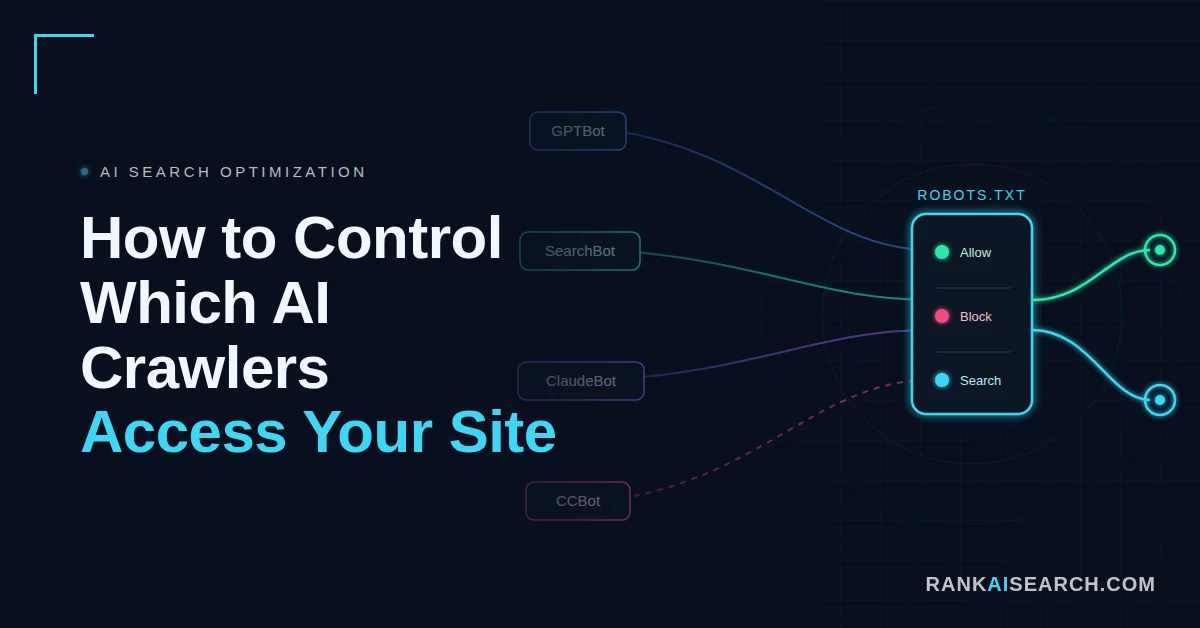
A site owner notices AI crawlers visiting hundreds of pages in their server logs. Some bots may help the brand appear in AI answers, while others may collect public content for training. Controlling AI crawler access matters because each bot can affect visibility, content use, and site performance differently.
Robots.txt gives site owners a practical way to allow or block specific AI bots. The best setup separates AI search bots, training bots, and user-requested retrieval bots. This guide explains how to manage AI crawler access without accidentally blocking useful visibility.
How Do You Control Which AI Crawlers Access Your Site?
You control AI crawler access through robots.txt, where you can allow or disallow specific bots such as GPTBot, Google-Extended, ClaudeBot, and PerplexityBot. Allowing them lets your content be used in AI answers; blocking them keeps it out.
Robots.txt is a public text file that tells compliant crawlers which URL paths they may access. The Robots Exclusion Protocol specification says robots.txt rules must be accessible at /robots.txt in the top-level path of a service and served as plain text. (Source: RFC 9309, 2022)
AI crawler control is not one setting for every AI company. Each operator uses its own user-agent tokens, and some separate search, training, and user-triggered retrieval into different bots.
| Control Layer | What It Does | Example |
|---|---|---|
| robots.txt | Gives crawler-specific access rules | Block GPTBot but allow OAI-SearchBot |
| WAF rules | Enforces access at the security layer | Allow verified bot IP ranges |
| Server logs | Shows crawler behavior | Review requests by user agent and IP |
| Content strategy | Decides what should be discoverable | Allow public guides and block staging folders |
| AI visibility tracking | Measures impact | Monitor mentions, citations, and referrals |
A basic robots.txt file looks like this:
User-agent: GPTBot
Disallow: /
User-agent: Google-Extended
Disallow: /
User-agent: *
Allow: /
Why Would You Allow or Block an AI Crawler?
You would allow an AI crawler when visibility, citations, referrals, or AI answer inclusion matter more than content-use concerns. You would block an AI crawler when training use, server load, licensing risk, or content control matters more than AI discovery.
Crawler decisions should match the bot’s purpose. A search bot can support AI answer visibility, while a training bot can support model development without sending direct referral traffic.
OpenAI states that webmasters can allow OAI-SearchBot for search visibility while disallowing GPTBot to signal that content should not be used for training OpenAI’s generative AI foundation models. (Source: OpenAI Developers, 2026)
| Decision | When It Makes Sense | Tradeoff |
|---|---|---|
| Allow AI search bots | You want AI answer visibility | More public retrieval |
| Block training bots | You want to restrict model training use | Less contribution to model datasets |
| Allow user-requested bots | You want AI users to reach your pages | More live fetches from AI tools |
| Block all AI bots | You want strict content control | Lower AI visibility potential |
| Restrict sections | You want public content visible but private areas protected | Requires careful path rules |
Common reasons to allow AI crawlers include:
- AI answer visibility
- Search result inclusion
- Referral traffic from AI tools
- Documentation discovery
- Brand citation opportunities
- Product and service discoverability
Common reasons to block AI crawlers include:
- Training-use concerns
- Licensing restrictions
- Server load
- Paywalled content protection
- Duplicate content exposure
- Legal or compliance risk
Which AI Crawlers Should You Know About?
You should know the AI crawlers that affect search visibility, user-requested retrieval, model training, and AI product experiences. The main user-agent tokens change over time, so site owners should verify each crawler against official documentation before editing production rules.
AI bots are not all the same. Blocking a training crawler can have a different effect from blocking a search crawler or a user-requested fetcher. Understanding how these systems retrieve and cite pages is the foundation of large language model optimization, which shapes whether your content is surfaced or ignored in AI answers.
AI Search and Answer Bots
AI search and answer bots support retrieval, citation, search result quality, or user-requested access inside AI products. Blocking them can reduce the chance that your content appears as a source in AI search experiences.
Important examples include:
| Bot | Operator | Main Use |
|---|---|---|
| OAI-SearchBot | OpenAI | ChatGPT search visibility |
| ChatGPT-User | OpenAI | User-triggered ChatGPT actions |
| Claude-SearchBot | Anthropic | Claude search result quality |
| Claude-User | Anthropic | User-requested Claude retrieval |
| PerplexityBot | Perplexity | Perplexity search result visibility |
| Perplexity-User | Perplexity | User-requested retrieval |
| Applebot | Apple | Search features across Apple products |
Perplexity states that PerplexityBot is designed to surface and link websites in Perplexity search results and is not used to crawl content for AI foundation models. (Source: Perplexity Docs, 2026)
Model Training Crawlers
Model training crawlers collect or access public web content that may be used to improve AI models. Blocking these bots is usually a content-use decision rather than a direct search visibility decision.
Important examples include:
| Bot | Operator | Main Use |
|---|---|---|
| GPTBot | OpenAI | Training data collection |
| ClaudeBot | Anthropic | Model training data collection |
| Google-Extended | Gemini training and grounding control | |
| Applebot-Extended | Apple | Apple generative AI training control |
| CCBot | Common Crawl | Public web corpus collection |
| Amazonbot | Amazon | Product improvement and possible AI model training |
Anthropic says ClaudeBot collects web content that could contribute to model training, while Claude-User and Claude-SearchBot serve different user and search functions. (Source: Anthropic Support, 2026)
How Do Robots.txt Directives Control AI Bots?
Robots.txt directives control AI bots by matching a crawler’s user-agent token to a group of Allow and Disallow rules. A compliant crawler reads the file before crawling and applies the most relevant rules for its user-agent.
Robots.txt works by path, not by purpose. It can allow or block /blog/, /docs/, or /pricing/, but it cannot express detailed licensing terms, payment rules, or content-use conditions beyond crawl access.
| Directive | What It Means | Example |
|---|---|---|
| User-agent | Names the crawler group | User-agent: GPTBot |
| Disallow | Blocks a path | Disallow: /private/ |
| Allow | Allows a path | Allow: /blog/ |
| * | Matches multiple characters | Disallow: /*?replytocom= |
| $ | Marks end of URL match | Disallow: /*.pdf$ |
| Sitemap | Points to XML sitemap | Sitemap: https://example.com/sitemap.xml |
How Do You Allow Specific AI Crawlers?
You allow specific AI crawlers by creating a robots.txt group for each bot and using Allow: / or an empty Disallow value. This tells compliant crawlers that they may access the allowed paths.
Allowing a bot is useful when that bot supports search visibility, answer citations, product discovery, documentation access, or user-requested retrieval. For commercial sites, allowing AI search bots can support AI visibility while still blocking training-specific bots. The way these engines weigh trust and authority when they decide which pages to surface is covered in this guide on how AI search engines evaluate content quality.
Apple says allowing Applebot in robots.txt lets website content appear in Apple search results across products such as Spotlight, Siri, and Safari. (Source: Apple Support, 2026)
| Goal | Bot Type To Allow |
|---|---|
| Appear in ChatGPT search | OAI-SearchBot |
| Support Claude user retrieval | Claude-User |
| Support Claude search visibility | Claude-SearchBot |
| Appear in Perplexity results | PerplexityBot |
| Support Apple search surfaces | Applebot |
| Support Google Search | Googlebot |
Example allow rules:
User-agent: OAI-SearchBot
Allow: /
User-agent: PerplexityBot
Allow: /
User-agent: Claude-SearchBot
Allow: /
User-agent: *
Allow: /
Allowing a crawler does not guarantee inclusion in AI answers. It only removes a crawl-access barrier for that bot.
How Do You Block Specific AI Crawlers?
You block specific AI crawlers by creating a robots.txt group for each bot and adding Disallow: / for the whole site or a narrower path for selected sections. This tells compliant crawlers not to access those paths.
Blocking should be specific whenever possible. A broad User-agent: * block can unintentionally block search engines, SEO tools, monitoring systems, and other legitimate crawlers.
Common Crawl recommends verifying user-agent strings because some crawlers falsely identify themselves as CCBot. This shows why bot identity should be checked in logs before making security decisions. (Source: Common Crawl, 2026)
| Blocking Goal | Example Rule |
|---|---|
| Block OpenAI training | User-agent: GPTBot |
| Block Anthropic training | User-agent: ClaudeBot |
| Block Gemini training control | User-agent: Google-Extended |
| Block Common Crawl | User-agent: CCBot |
| Block Amazonbot | User-agent: Amazonbot |
| Block selected folders | Disallow: /members/ |
Example block rules:
User-agent: GPTBot
Disallow: /
User-agent: ClaudeBot
Disallow: /
User-agent: CCBot
Disallow: /
User-agent: Amazonbot
Disallow: /
Blocking a bot does not remove content already indexed, cached, licensed, cited by other sources, or collected before the rule was added. It only communicates future crawl preferences to compliant crawlers.
How Can You Apply Different Rules to Different Bots?
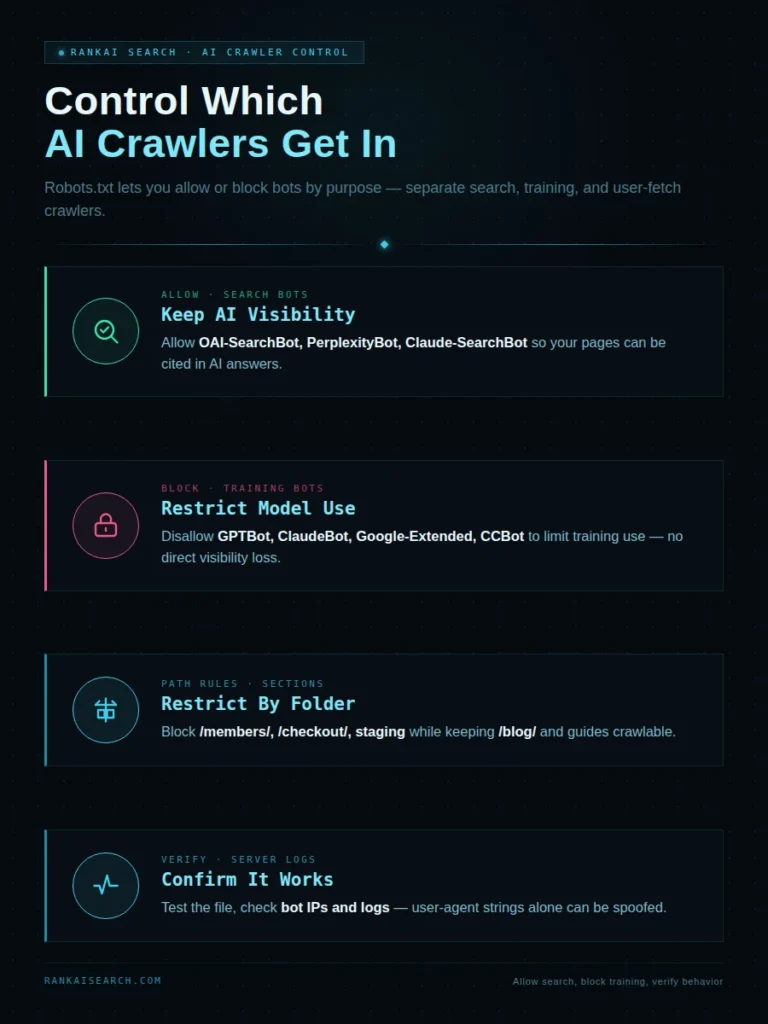
You apply different rules by creating separate user-agent groups for each crawler and using path-specific Allow or Disallow directives. This lets you allow AI search bots, block training bots, and restrict sensitive sections without blocking the entire website.
Different rules are useful because AI companies separate crawler functions. A marketer may want visibility in AI answers while still limiting training access where the operator provides separate controls.
The strongest setup starts with intent. Decide whether each bot supports visibility, training, user-requested access, monitoring, or unwanted scraping before writing rules.
Allowing Selected Crawlers
Allowing selected crawlers means giving access only to bots that support your visibility goals. This approach is useful for brands that want to appear in AI answers but avoid broad training access.
Example:
User-agent: OAI-SearchBot
Allow: /
User-agent: PerplexityBot
Allow: /
User-agent: Claude-SearchBot
Allow: /
User-agent: GPTBot
Disallow: /
User-agent: ClaudeBot
Disallow: /
| Allowed Bot | Why You Might Allow It |
|---|---|
| OAI-SearchBot | ChatGPT search visibility |
| PerplexityBot | Perplexity source visibility |
| Claude-SearchBot | Claude search quality and visibility |
| Googlebot | Google Search visibility |
| Applebot | Apple search visibility |
Blocking Selected Crawlers
Blocking selected crawlers means restricting bots that do not match your content-use policy. This approach is useful when training use is the concern, not search visibility.
Example:
User-agent: GPTBot
Disallow: /
User-agent: ClaudeBot
Disallow: /
User-agent: Google-Extended
Disallow: /
User-agent: CCBot
Disallow: /
User-agent: *
Allow: /
| Blocked Bot | Common Reason |
|---|---|
| GPTBot | OpenAI model training control |
| ClaudeBot | Anthropic model training control |
| Google-Extended | Gemini training and grounding control |
| CCBot | Common Crawl dataset control |
| Amazonbot | Amazon AI and product improvement control |
Restricting Specific Site Sections
Restricting specific sections means blocking paths such as staging areas, account pages, internal search results, or low-value templates. This is safer than blocking an entire useful site.
Example:
User-agent: GPTBot
Disallow: /members/
Disallow: /checkout/
Disallow: /internal-search/
Allow: /blog/
Allow: /guides/
Path-level restrictions work best for:
- Member-only areas
- Checkout pages
- Login pages
- Internal search pages
- Staging folders
- Duplicate archives
- Low-value parameter URLs
- Private documentation
Where Should You Add the Robots.txt File?
You should add robots.txt at the root of each origin, such as https://example.com/robots.txt. A robots.txt file only applies to the protocol, host, and port where it is served.
A file on the main domain does not automatically control subdomains. A site with www.example.com, app.example.com, and docs.example.com may need separate robots.txt rules for each host.
Google’s robots.txt documentation states that a robots.txt file applies only to the host, protocol, and port where it is posted. (Source: Google Search Central, 2026)
| Site Area | Robots.txt Location |
|---|---|
| Main domain | https://example.com/robots.txt |
| WWW version | https://www.example.com/robots.txt |
| Docs subdomain | https://docs.example.com/robots.txt |
| App subdomain | https://app.example.com/robots.txt |
| HTTP version | http://example.com/robots.txt |
| HTTPS version | https://example.com/robots.txt |
A root file should be public. If a crawler cannot fetch robots.txt because of server errors, it may delay crawling or apply fallback behavior depending on the crawler and protocol rules.
How Can You Check Whether Your Rules Are Working?
You can check whether your rules are working by testing the robots.txt file, reviewing server logs, verifying bot identity, and monitoring whether allowed bots can reach important content. A rule is only useful when the correct bot can fetch the file and interpret the matching group.
Testing should include syntax and behavior. A robots.txt tester can show whether a path is allowed, but server logs show whether real bot requests follow the rule.
| Check | What To Confirm |
|---|---|
| Public URL | /robots.txt loads |
| Status code | File returns 200 |
| Syntax | User-agent groups are valid |
| Final served file | CDN or WAF did not rewrite unexpectedly |
| Bot logs | Requests match expected user agents |
| IP verification | Bot IP belongs to the claimed operator |
| Crawl behavior | Disallowed paths are not requested by compliant bots |
| AI visibility | Allowed content remains discoverable |
Use this testing workflow:
- Open /robots.txt in a browser.
- Confirm the latest rules are visible.
- Test allowed and blocked paths.
- Review server logs for bot requests.
- Verify official bot IP ranges where available.
- Recheck after CDN, WAF, or plugin changes.
What Are the Risks of Blocking AI Crawlers?
The main risk of blocking AI crawlers is reduced visibility in AI search, answer engines, and user-requested retrieval experiences. Blocking can protect content-use preferences, but it can also limit discovery if the blocked bot supports AI answer sourcing.
The risk depends on which bot you block. Blocking a training crawler may have a different outcome from blocking a search crawler that helps surface and link your website. The signals that drive AI search rankings, including experience, expertise, authoritativeness, and trust, only work in your favor when the right bots can actually reach your pages.
A 2025 study found that 60.0% of reputable news sites disallowed at least one AI crawler, compared with 9.1% of misinformation sites. This shows that crawler blocking is now a major content-access decision across publishers. (Source: Steinacker-Olsztyn, Gosain, and Dao, 2025)
| Blocking Choice | Potential Benefit | Potential Risk |
|---|---|---|
| Block training bots | Limits future model training use | No direct visibility gain |
| Block AI search bots | Limits AI retrieval access | Lower chance of AI citations |
| Block all bots | Reduces broad automated access | Can damage search and discovery |
| Block low-value paths | Reduces crawl waste | Requires accurate path rules |
| Allow selected bots | Preserves visibility | Requires monitoring and maintenance |
Blocking can also affect competitive visibility. If competitors allow AI search bots and your site blocks them, AI tools may have more accessible source material from competitors.
How Often Should You Review Your Crawler Rules?
You should review AI crawler rules at least quarterly and after every major AI platform, CMS, hosting, or content strategy change. AI user-agent names, crawler functions, and publisher controls change often.
A stale robots.txt file can block helpful bots, allow unwanted bots, or preserve outdated rules from an earlier content policy. Review is especially important when a site changes monetization, documentation strategy, or AI visibility goals.
Amazon says Amazonbot may use a cached robots.txt copy from the last 30 days when fetching host-level robots.txt files. This shows why crawler behavior may not change instantly after a rule update. (Source: Amazon Developer, 2026)
| Review Trigger | What To Check |
|---|---|
| New AI crawler appears | Verify operator and purpose |
| AI visibility drops | Check if search bots are blocked |
| Server load increases | Review bot request volume |
| New subdomain launches | Add host-specific rules |
| CMS or plugin changes | Confirm final served file |
| CDN or WAF changes | Check rewritten robots.txt output |
| Legal policy changes | Update training bot rules |
| New documentation section | Decide whether AI bots should access it |
Assign ownership to one team. Robots.txt should not be edited casually by SEO, legal, engineering, and security teams without a shared policy. If you want a crawler policy built and maintained around your visibility goals, a generative engine optimization specialist can align your access rules with how AI platforms actually source answers.
Which Mistakes Can Cause Access Problems?
The most common mistakes are blocking useful search bots, using broad wildcard rules, placing robots.txt in the wrong location, and assuming robots.txt protects private content. These mistakes can reduce AI visibility or expose paths that should be protected by real access controls.
Crawler rules should be precise. A single misplaced Disallow: / can block an entire site for a bot you intended to allow.
| Mistake | Result |
|---|---|
| Blocking User-agent: * | May block search and AI bots broadly |
| Blocking Googlebot by accident | Can damage Google Search visibility |
| Confusing GPTBot with OAI-SearchBot | Blocks the wrong OpenAI function |
| Ignoring subdomains | Leaves gaps in control |
| Relying on robots.txt for privacy | Publicly exposes sensitive paths |
| Forgetting CDN rules | Final file may differ from source file |
| Not checking logs | Spoofed bots may go unnoticed |
| Never reviewing rules | Old policy stays active |
Avoid these operational errors:
- Editing production robots.txt without a backup
- Copying generic AI blocklists without review
- Blocking bots by brand name instead of official user-agent token
- Forgetting staging, docs, and app subdomains
- Blocking CSS or JavaScript needed for rendering
- Treating user-agent strings as proof of identity
What Should You Remember About Controlling AI Crawler Access?
You should remember that AI crawler control is a visibility and governance decision, not only a technical setting. Robots.txt helps communicate preferences to compliant bots, but it does not replace content security, licensing strategy, or AI visibility tracking.
The best setup separates search visibility, model training, user-requested retrieval, and private content protection. This makes crawler control more precise than a blanket allow or blanket block.
| Principle | Practical Action |
|---|---|
| Separate bot purposes | Treat search, training, and user-fetch bots differently |
| Use official tokens | Verify names from operator documentation |
| Protect private content | Use authentication, not robots.txt |
| Preserve visibility | Allow bots that support AI search goals |
| Monitor behavior | Review logs and IP ranges |
| Review regularly | Update rules as platforms change |
| Measure impact | Track AI citations and referrals |
Are You Ready to Review Which AI Bots Can Access Your Content?
AI crawler access affects how your content may be discovered, retrieved, and used across AI platforms. Reviewing each bot by purpose helps you protect sensitive areas without unnecessarily limiting valuable visibility.
RankAISearch can help you create a crawler policy that balances content control with AI search opportunities. Take a closer look at which bots support your goals and which ones should have restricted access.
Frequently Asked Questions About Controlling AI Crawler Access
What is the difference between an AI crawler and a search crawler?
An AI crawler collects, retrieves, or indexes content for AI products, while a search crawler indexes content for search results. Some operators separate these functions into different user agents.
The difference matters because blocking the wrong bot can reduce visibility. A search-oriented AI bot may support citations, while a training bot may not send direct traffic.
Can you block AI crawlers without blocking Google search?
Yes, you can block many AI crawlers without blocking Google Search by targeting their specific user-agent tokens. For Google, Google-Extended is separate from Googlebot.
Do not block Googlebot unless you want to affect Google Search crawling. Use the official Google crawler documentation before changing Google-related rules.
Does blocking GPTBot remove content from ChatGPT answers?
No, blocking GPTBot does not automatically remove content from all ChatGPT answers. OpenAI says GPTBot is for training, while OAI-SearchBot is used for ChatGPT search visibility.
To manage ChatGPT search opt-outs, use OAI-SearchBot. To signal that content should not be used for OpenAI model training, use GPTBot.
What happens when you allow Google-extended?
Allowing Google-Extended permits Google to use eligible crawled content for Gemini model training and grounding where Google applies that control. Google states that Google-Extended does not affect Google Search inclusion or ranking.
Blocking Google-Extended is therefore not the same as blocking Googlebot. The two tokens control different product uses.
Can robots.txt rules protect private website content?
No, robots.txt cannot protect private website content. It is a public instruction file for compliant crawlers, not an access-control system.
Use authentication, authorization, paywalls, firewall rules, or no-public-route architecture for private content. Do not list sensitive paths in robots.txt as your only protection.
How can you block all known AI crawlers at once?
You can block known AI crawlers by listing each official user-agent token with Disallow: /. This approach requires maintenance because new bots and renamed bots appear over time.
A broad blocklist may reduce AI visibility. Review whether each bot supports search, training, user-requested retrieval, or another function before blocking it.
Do AI companies always follow robots.txt directives?
No, AI companies and AI products do not always behave consistently with robots.txt expectations. Compliance varies by operator, product, user-triggered retrieval, and technical implementation.
Robots.txt should be treated as a preference signal for compliant crawlers. Sensitive content needs real access controls.
How can you identify unknown AI bots in server logs?
You can identify unknown AI bots by reviewing user-agent strings, IP addresses, reverse DNS, request patterns, and official bot documentation. A user-agent string alone can be spoofed.
Start with logs for high-volume or unusual requests. Then comp